
Send Money To Anyone
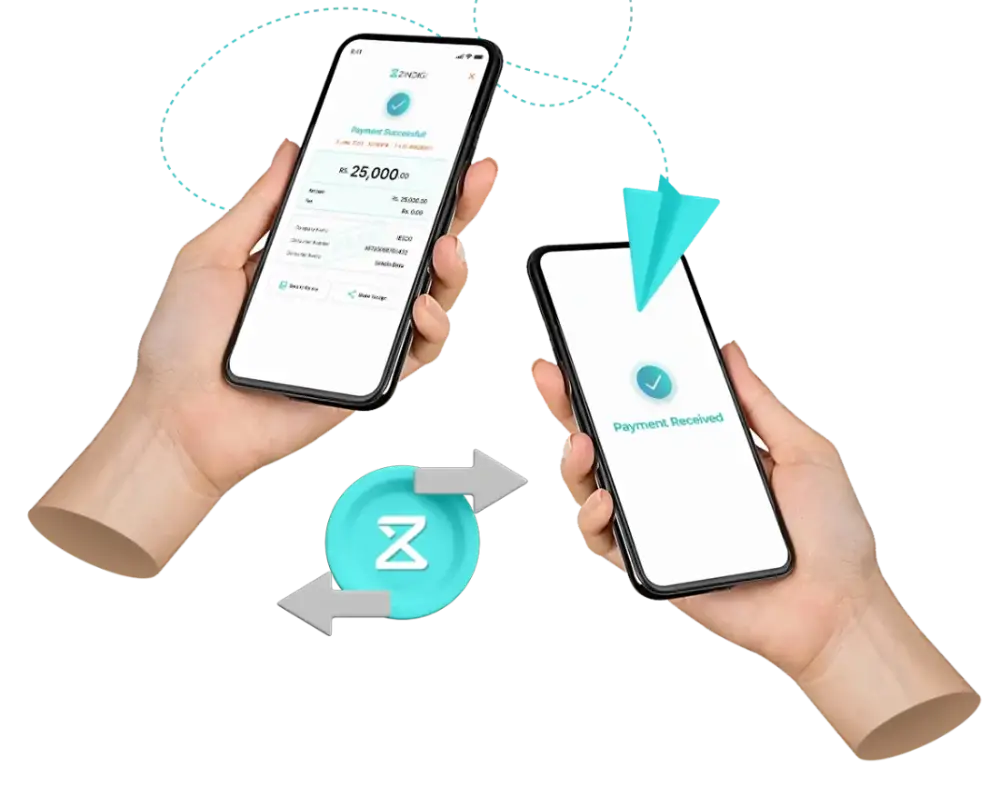
Send Money To Anyone
Zindigi offer multiple secure options to send money to your loved ones i.e. Zindigi transfer, Bank transfer, CNIC transfer – whatever works best for you.
Zindigi Transfer
Send money to anyone with Zindigi Account free of charge.
Zindigi transfers can only be performed to Zindigi users to Zindigi users.
Funds are received instantly; you will receive SMS and push notification of the funds transfer.
No, there aren’t any charges for Zindigi transfer.
Your mobile number is your Zindigi account number.
You can view your account type and transaction limits from the settings menu on the top left of your home screen. You will automatically be assigned a basic account with basic limits. To upgrade accounts and limit biometric verification is required.
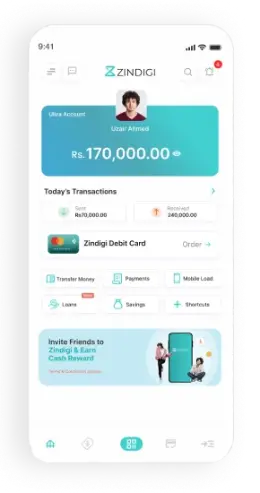
Tap on the Transfer Money 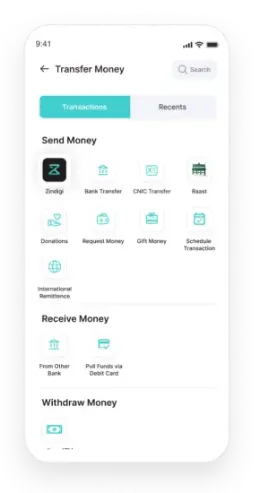
Tap on Zindigi 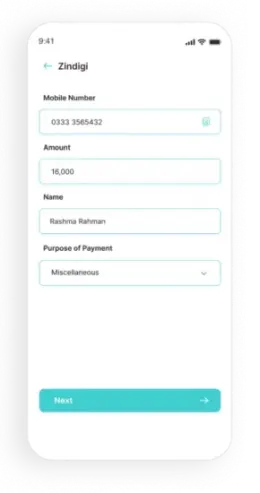
Enter Information 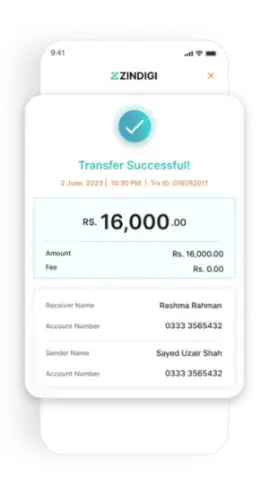
Transaction Successfull
Bank Transfer
Send money to anyone from one bank account to another bank account with security.
Yes, you can make bank transfer to all the banks in Pakistan.
- You can perform bank transfers on the account number as well as on the IBAN on the bank.
- Yes, if the monthly transfer amount exceeds Rs.25,000 then 0.1% of the transaction amount or Rs.200, whichever is lower, will be charged to the user. This fee is charged by 1Link on bank transfers.
- You can view your account type and transaction limits from the settings menu on the top left of your home screen. You will automatically be assigned a basic account with basic limits. To upgrade accounts and limit biometric verification is required.
- Your Zindigi account IBAN is generated automatically. You can find it in the settings menu of your app.
Tap on the Transfer Money 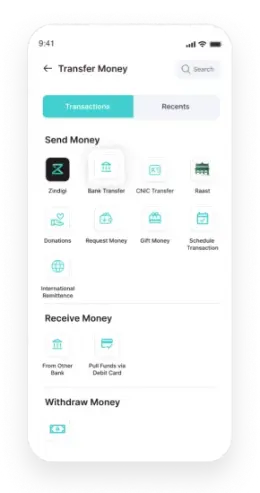
Tap on Bank Transfer 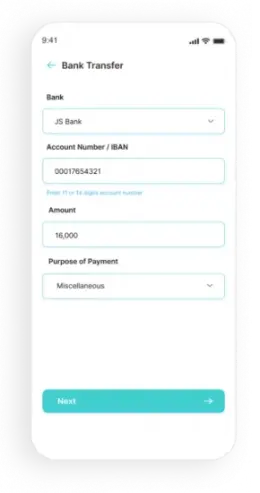
Enter Information Transaction Successfull
CNIC Transfer
Send money to anyone with a valid CNIC.
Funds can be withdrawn through Zindigi agents.
- No, CNIC transfer can only be performed for users who are not registered with Zindigi.
- Yes, please visit our schedule of charges for the CNIC transfers charges.
- CNIC transfers are instant.
No, funds need to be withdrawn from Zindigi agent.Recipients will receive a message on their mobile number once the transfer is completed.
Tap on the Transfer Money 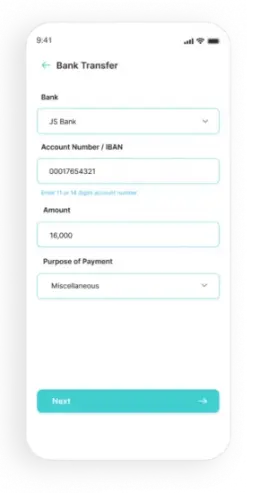
Tap on CNIC Transfer 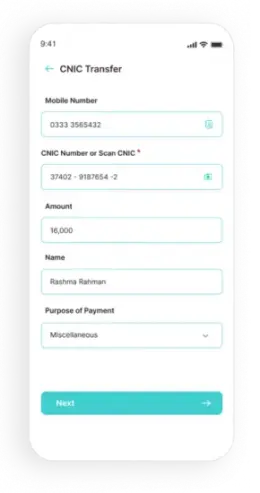
Enter Details Transaction Successfull
Raast
Raast is Pakistan’s first instant payment system that will enable end-to-end digital payments among individuals, businesses, and government entities instantaneously. Raast provides cheap and universal access to all players in the financial industry including commercial banks, microfinance banks, government entities and FinTech.
You need to have a mobile number of recipients registered with Raast or IBAN of the recipient to perform the Raast transfer.
No, Raast transfers are free of charge.
Tap on the Transfer Money Tap on CNIC Transfer Enter Details Transaction Successfull
ID Management
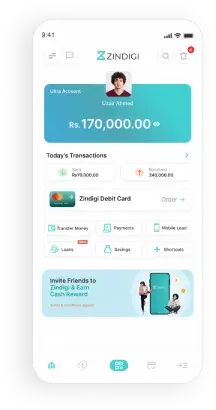
Tap on the Transfer Money 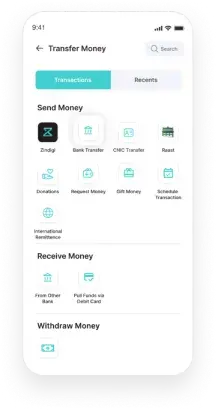
Tap on Raast 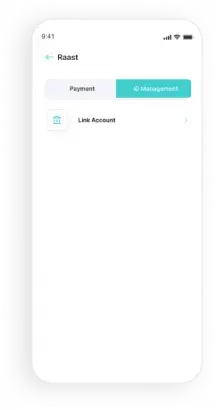
Tap on ID Management 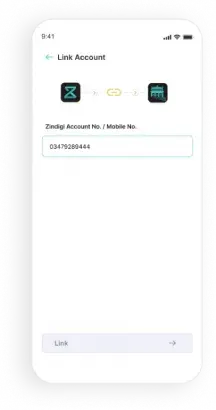
Link Account with Raast
Got Question?
We are here to help you!
What can I do with my Zindigi debit card?
Once you activate your Zindigi debit card you can use it:
- Mastercard Debit Card at Local and International ATMs for Cash withdrawal
- Mastercard Debit Card for for Shopping in store and online purchases, Paypak for Inshore purchases
- For international transactions when you upgrade to Zindigi Ultra account through Mastercard Debit Card
How can I get a Zindigi debit card?
When will my Zindigi debit card be delivered after I place an order?
How can I activate my Zindigi debit card?
How can I create my Zindigi debit card PIN?
How can I block my Zindigi debit card?
What are the charges for ordering a Zindigi debit card?
My card has been returned by the courier service. What should I do?
Got Question?
We are here to help you!
What is a Zindigi account?
Zindigi account is a bank account tagged against your mobile number, which can be operated through your mobile phone. Through Zindigi account, you can perform various financial transactions such as Cash Deposits, Funds Transfer, Bill Payments, Voucher Payments, School Fee payments, Investments, Government Payments and many more anytime, anywhere!
What is my Zindigi account type & its transaction limits?
- You can view your account type and transaction limits from the settings menu on the top left of your home screen.
- When you open your remote Zindigi account by downloading the app, you will automatically be assigned limits of basic account. In order to upgrade limits a biometric verification is required.
What is the process to increase my daily sending limit?
You can increase your daily sending and receiving limits by upgrading your account from basic to advanced level. You would need to perform biometric verification at one of our agent locations or JS branches.
Is there any fee for using Zindigi account?
Zindigi application is available for free on Play Store and App Store. The charges for performing different transactions are mentioned in Zindigi Schedule of Charges section.
What payment transactions can be performed via Zindigi account?
Through Zindigi account, you can perform a variety of transactions such as Funds Transfer, Bill Payments, airtime top up (prepaid and postpaid) e-voucher Payments, School & Government Fee, Ticket payments and Investments.
How long does it take to make transaction from Zindigi account?
All transactions are instant. A confirmation SMS is also received on all transactions from 9991, along with an app notification.
Where can I get transaction history of my account?
Transaction history up to 90 days is available in the app.
Can I open more than one Zindigi account on a single CNIC or mobile number?
You can open one Zindigi account against a single CNIC or mobile number.
Are there any account charges for using the account?
No, there are no fees to use the Zindigi account.
What happens to my Zindigi account if I lose my phone?
Your Zindigi account is secure with your 4-digit PIN. If you want to block your account after losing your phone, please call us at UAN 111556677.
How to deposit money into your Zindigi Wallet account?
Money can be deposited using any of the below channels:
- Deposit Cash by visiting any of our Zindigi authorized agent.
- Transfer Funds through Internet Banking of your respective bank using IBFT.
- Simply choose Zindigi Wallet and add your Mobile Number in the account number.
- Link your debit card to pull funds in your Zindigi app
How can I withdraw money from my Zindigi account?
You can withdraw money by
- Using your Zindigi debit card at any JS Bank or 1Link ATM network across Pakistan.
- Visiting any Zindigi authorized agents for cash withdrawal. (For Basic Zindigi account, Biometric verification is mandatory for Debit Card issuance & cash deposit/withdrawal at agent location)